Get your Edge Collections back as bookmarks
Microsoft removed Collections from Edge in version 149, released on June 4, 2026, but Edge leaves the collections you saved in a file in your profile folder. Drop that file here to get every collection back as a folder of bookmarks, with your notes in a Markdown file.
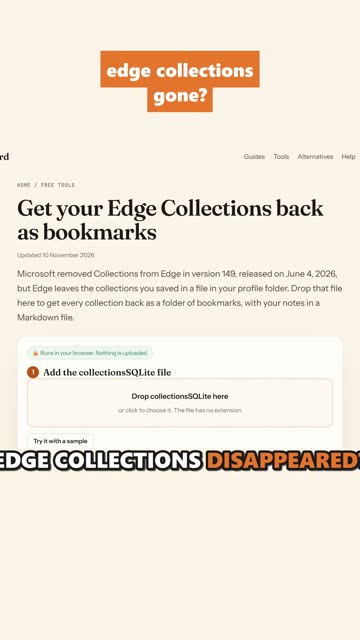 Video, 34 secondsEdge Collections gone? How to get them back▶︎ Play
1Add the collectionsSQLite file
2Check what was found
3Download
Find the file
- In Edge, go to
edge://versionand copy the Profile path. - Paste it into File Explorer’s address bar and press Enter. On a Mac, choose Go > Go to Folder in Finder and paste it there.
- Open the
Collectionsfolder and copycollectionsSQLiteto your desktop. Drop the copy here.
| System | Where the file usually is |
|---|---|
| Windows 11 and 10 | %LOCALAPPDATA%\Microsoft\Edge\User Data\Default\Collections\collectionsSQLite |
| macOS | ~/Library/Application Support/Microsoft Edge/Default/Collections/collectionsSQLite |
Other Edge profiles have their own copy, in Profile 1, Profile 2 and so on in place of Default. Windows hides AppData, but pasting the path opens it anyway. On a Windows 11 PC running Edge 157 in November 2026, the Collections folder and its file were still in the profile. If the profile has been removed, the file went with it.
Personal Microsoft account? Check Bing Saves
Microsoft offers personal accounts no export, and says their collections stay viewable at bing.com/saves. If the file is gone, for example on a new computer, look there. Work and school accounts had an Export your data option in the old Collections pane; if you saved that CSV file, drop it here and each collection becomes a folder.
What comes across
- Collections become folders inside one Edge Collections folder.
- Saved pages become bookmarks with their titles and the dates you saved them. Saved images come across as links.
- Notes and clipped text can’t go in a bookmark, so they’re in the Markdown and CSV downloads, next to the page they belong to, along with notes you wrote on their own. Microsoft’s Move to Favorites kept only the page links.
- Items Edge had marked as deleted are left out. Items that belong to no collection, often from a collection you deleted, go into a Not in any collection folder at the end, so you can keep or delete them.
- Page previews and the picture files themselves stay behind.
Import the bookmarks
- Edge: go to Settings > Profiles > Import browser data, select Import next to Import browser data now and choose Favorites or bookmarks HTML file. See importing bookmarks into Edge.
- Chrome and Brave: open
chrome://bookmarks(brave://bookmarksin Brave), click the three-dot menu and choose Import bookmarks. Full steps are in moving from Edge to Chrome. - Firefox: open the Library (Ctrl+Shift+O), choose Import and Backup, then Import Bookmarks from HTML.
Keep your notes in Obsidian or Notion
The Markdown file has a heading for each collection, each page as a link, the text you clipped as a quote and your notes under the page. Save it into an Obsidian vault, or open it and paste it into a Notion page, which turns the headings and links into blocks. For any browser’s bookmarks export, bookmarks to Markdown makes the same kind of file.
Using Chrome now?
In Chrome or Brave, Stackboard can show the same groups on your new tab page. Download the Stackboard backup (.json) above, then open a new tab and go to Settings, Backup, Import JSON. Each collection becomes a stack in one Edge Collections space, saved as ordinary Chrome bookmarks. Stackboard holds links only, so hang on to the Markdown file for your notes.
Questions
Where are Edge Collections stored?
In a file named collectionsSQLite, in the Collections folder of your Edge profile: %LOCALAPPDATA%\Microsoft\Edge\User Data\Default\Collections on Windows. edge://version shows your profile path.
Can you still export Edge Collections?
Edge 149 removed the Collections pane, which held Microsoft’s Move to Favorites and export options. The collectionsSQLite file in your profile still holds your collections: drop it into the converter above to get bookmarks, a CSV and your notes.
Where did my notes go after Move to Favorites?
Favorites only hold a title and a link, and Microsoft says Move to Favorites moved web page links only. If that Edge profile is still on your computer, your notes are usually still in collectionsSQLite, and the Markdown and CSV downloads here include them.
Does this work on a Mac?
Yes. The file is at ~/Library/Application Support/Microsoft Edge/Default/Collections/collectionsSQLite. In Finder, choose Go > Go to Folder and paste the folder path.
Is my file uploaded anywhere?
No. The page reads the file with your browser’s own file reader and builds the new file on your computer. You can load the page, turn off Wi-Fi and it still works.
Your bookmarks, on every new tab
Stackboard is a free Chrome extension that lays out your bookmarks as a board on the new tab page. It stores everything as ordinary Chrome bookmarks, with no account.
Add to Chrome, it’s freeSources
- Microsoft Support: Organize your ideas with Collections in Microsoft Edge (Edge 145 and 149, Move to Favorites, Bing Saves; read November 10, 2026)
- Microsoft Q&A: How to find Collections now that it is gone (the collectionsSQLite file in the profile folder, July 2026)
- Microsoft Learn: Edge user data directory variables (edge://version and the profile path)
- Microsoft Support: Import your favorites and passwords in Microsoft Edge
- export-edge-collections (MIT): where collectionsSQLite sits on Windows and macOS
- Mozilla Support: Import Bookmarks from an HTML file