Your new tab, sorted into spaces of link stacks.
Stackboard is a free bookmark manager for Chrome’s new tab page. It turns every new tab into a calm board of your bookmarks, saved as ordinary Chrome bookmarks, so your boards sync, work offline and need no account.
What is Stackboard?
Stackboard is a free, open-source Chrome extension that replaces the new tab page with a board of your own bookmarks, grouped into spaces and stacks and saved as ordinary Chrome bookmarks.
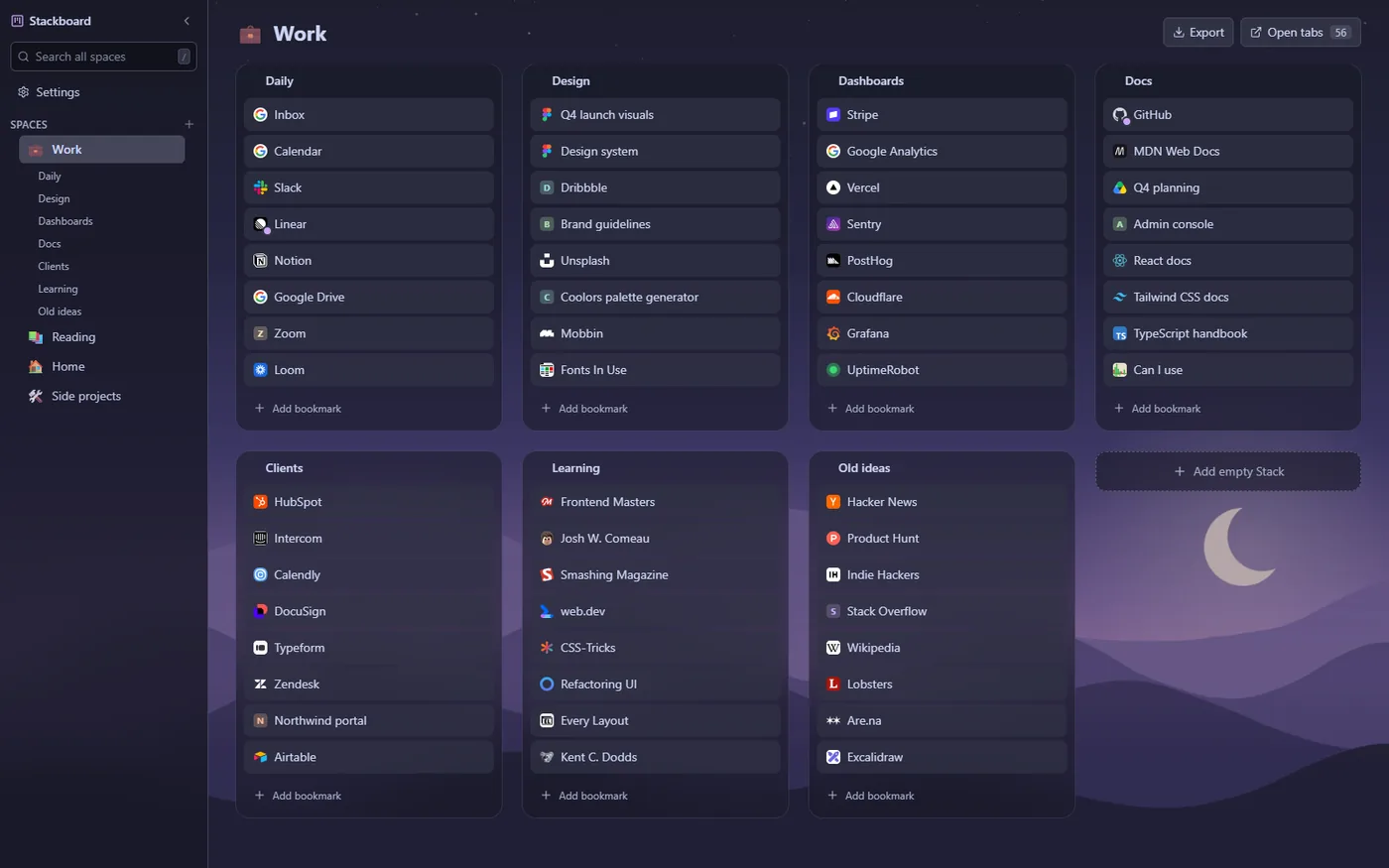
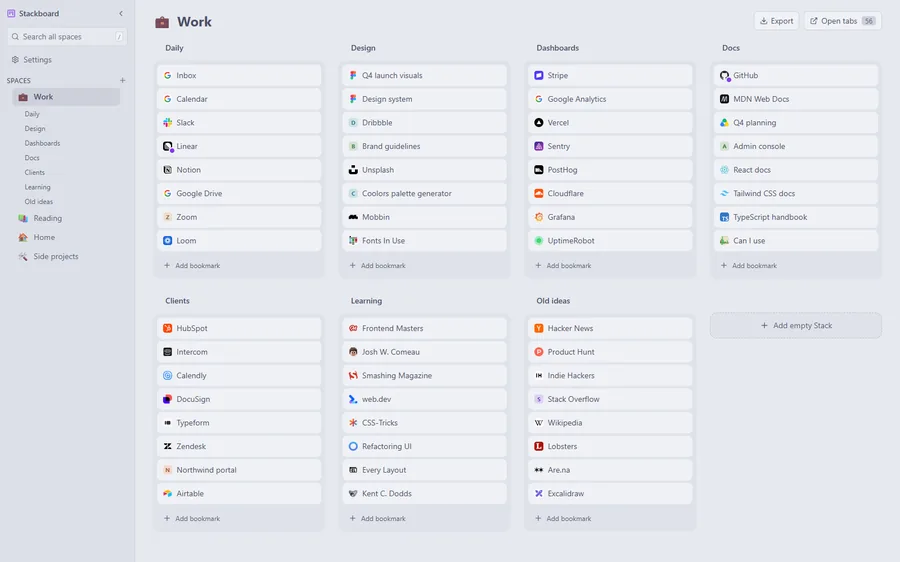
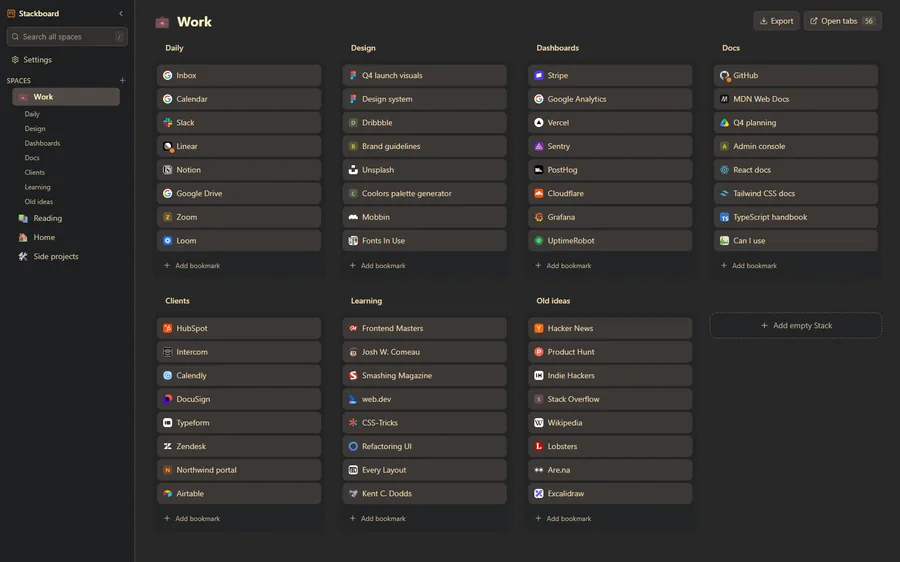
- Shows your bookmarks on every new tab as spaces, one for each part of your life, holding stacks of links.
- Copies your bookmarks bar into a board in one click. The originals stay where they are.
- Saves every open tab as bookmarks with Alt+Shift+S, and reopens any stack as a tab group.
- Searches every space at once with /.
- Brings your Arc spaces across (Settings › Copy from Arc). Free tools convert OneTab, Toby, Session Buddy and Zen exports to bookmarks.
- Syncs through Chrome, works offline and needs no account. An optional paid Pro adds auto-archive, daily snapshots, to-do lists and more looks.
How it compares
- Chrome’s own new tab page
- A search box and a row of shortcuts. Stackboard puts all your bookmarks there, grouped into spaces and stacks.
- OneTab
- Keeps saved tabs as a list inside the extension. Stackboard saves them as Chrome bookmarks, so they sync and stay if you uninstall. See OneTab alternative.
- Toby
- Also a board of links on the new tab. Toby needs an account and its free plan holds 60 saved tabs (October 2026); Stackboard needs no account and has no cap on saved links. See Toby alternative.
- Arc and Zen spaces
- Spaces for open tabs in the browser’s sidebar. Stackboard gives Chrome a space for each part of your life on the new tab, for saved links; open tabs stay in Chrome’s tab strip. See Arc spaces in Chrome.
- Where it falls short
- It runs in Chrome, Edge and Brave, with no Firefox, Safari or phone version yet, and it has no notes or tags.
Install it, then open a new tab.
Add it to Chrome
Free on the Chrome Web Store. Stackboard opens a new tab to say hello.
Bring your bookmarks in
One click copies your bookmarks bar into a board, or start from a ready-made pack.
Keep it tidy
Drag links between stacks, search with /, and stash a crowded window when you need a clean slate.
Small touches for the page you open fifty times a day.
Spaces for each part of your life, stacks of links inside them, and a handful of shortcuts that make the board quick to live in.
- 01
Bring your bookmarks in
Your bookmarks bar becomes a space and each folder becomes a stack. The originals stay where they are.
- 02
Stash a whole window Alt+Shift+S
Too many tabs? Save every one as a bookmark, one stack per tab group, and clear the window. Open the stack again later as a tab group.
- 03
Find anything /
Search every space at once. Enter opens the top result.
- 04
Undo every delete Ctrl+Z
Removed the wrong link or stack? Bring it back in place for a few seconds after.
- 05
See what’s already open
A small dot marks bookmarks open in another tab. Click it to jump there instead of opening a duplicate.
- 06
Save the tabs you pick
Ctrl or Shift+click a few tabs, open the toolbar popup, and one tap on a stack saves them all.
- 07
Declare tab bankruptcy
Stash every tab in every window at once and start clean, with a certificate to prove it.
Dark mode, and the palettes you already use.
Catppuccin Latte and Mocha, Gruvbox, Nord and a true black for OLED screens, all in their official colors. Light, dark or follow your system, with a gradient or your own wallpaper behind the board.
No account, no tracking, no analytics.
Stackboard keeps everything in Chrome’s own bookmarks. Uninstall it and your bookmarks are still there. If you buy Pro, the extension checks your license key with Polar, our payment provider. Read the privacy policy.
- Saved under Other bookmarks › Stackboard
- Synced by Chrome to your other devices
- The free board sends nothing off your device
Good to know before you install.
- Is Stackboard free?
- Yes. The board is free, has no ads and needs no account, and the code is open source on GitHub. Stackboard Pro is an optional upgrade, $2.99 a year if you join by 31 December 2026 and $9.99 a year after, that adds auto-archive, daily snapshots, to-do lists and more looks.
- Where are my bookmarks stored?
- In Chrome itself, as ordinary bookmarks under Other bookmarks › Stackboard. The free board never sends them anywhere, and if you uninstall, your bookmarks stay where they are.
- Does it sync between computers?
- Yes, through Chrome sync. Your spaces and stacks are bookmarks, so they show up wherever you’re signed in to Chrome with bookmark sync on.
- Does it work in Brave?
- Yes. Install it from the Chrome Web Store in Brave the same way you would in Chrome.
- How do I go back to Chrome’s new tab page?
- Turn Stackboard off in
chrome://extensions. Chrome’s page comes back straight away, and your bookmarks stay. More in how to change the new tab page. - Can I bring my Arc spaces?
- Yes. Arc stops working on December 22, 2026. Export your data from Arc, then open Settings › Copy from Arc in Stackboard and pick the export or
StorableSidebar.json. The file is read on your computer, and each Arc space becomes a Stackboard space with its folders as stacks. For any other browser, our free Arc exporter makes a bookmarks file.