A OneTab alternative that saves your tabs as real bookmarks
OneTab is very good at one job: it turns a crowded window into a list, so Chrome uses less memory. Stackboard does the same job with a different place to put the tabs: your own Chrome bookmarks, laid out as a board on your new tab page.
How OneTab works
Click the OneTab icon and every tab in the window collapses into a list on OneTab’s own page. You restore tabs one at a time or all at once. The list lives inside the extension, so you move it between computers by exporting and importing it as text, and OneTab can also upload a list as a web page if you choose to share it.
That works well until the list grows to a few hundred entries saved by date, and the tabs you meant to come back to are somewhere in the middle.
How Stackboard does it
- Stash this window (Alt+Shift+S, or the toolbar button) saves every tab as a bookmark in a Stash space, one stack per tab group, and clears the window.
- Save selected tabs: Ctrl or Shift+click a few tabs, open the toolbar popup, and one tap on a stack saves just those.
- Tab bankruptcy stashes every tab in every window at once, and hands you a certificate to prove it.
- Every stash shows up on your new tab, where you can rename stacks, drag links between them and search everything with /.
- A stack reopens as a named tab group in one click.
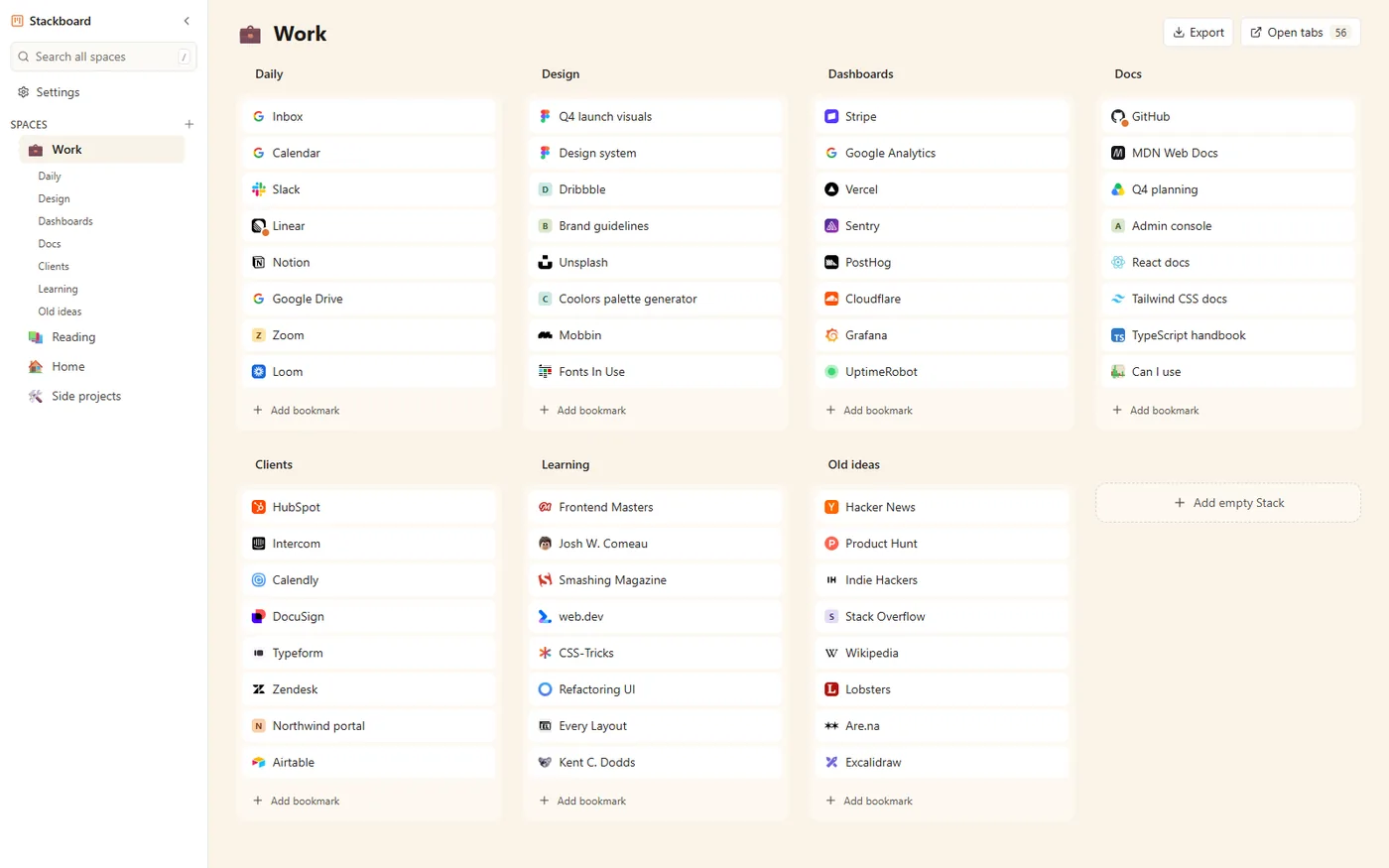
OneTab and Stackboard side by side
| OneTab | Stackboard | |
|---|---|---|
| Where saved tabs live | A list inside the extension | Ordinary Chrome bookmarks (Other bookmarks › Stackboard) |
| Other computers | Export and import by hand | Chrome sync carries them, like any bookmark |
| After you uninstall | Export first, or the list goes with it | Your bookmarks stay where they are |
| Organizing | Groups by date, which you can name, lock or star | Spaces and stacks you arrange by dragging |
| Your new tab page | Unchanged | A board of your bookmarks |
| Frees memory | Yes, closes the tabs | Yes, closes the tabs |
| Price and code | Free | Free and open source (MIT) |
When OneTab is the better pick
If you want a fast list you rarely revisit, and you’d rather keep Chrome’s own new tab page, OneTab is simple and battle-tested, with more than 14,000 ratings. Stackboard suits people who want saved tabs to turn into something they can find and use again.
Questions
Can I move my OneTab list into Stackboard?
There’s no direct importer yet (it’s on the list). For now, choose Restore all on a OneTab group, then press Alt+Shift+S to stash the window into Stackboard.
Does Stackboard save memory like OneTab?
Yes. Stash closes the tabs it saves, which frees their memory the same way.
Is Stackboard free?
Yes. It’s free, needs no account and the code is public on GitHub.
Does it work in Brave?
Yes. Install it from the Chrome Web Store in Brave the same way you would in Chrome.
Try Stackboard
A free Chrome extension that turns your new tab into a board of your own bookmarks. No account, nothing leaves your browser.
Add to Chrome, it’s free