A Session Buddy alternative that keeps your sessions as Chrome bookmarks
If you want saved sessions that outlast the extension that saved them, keep them as ordinary Chrome bookmarks: Stackboard stashes a window into bookmarks on your new tab page, and Chrome sync carries them to your other computers. Our free converter brings your Session Buddy or Tab Session Manager export along.
What Session Buddy does well
Session Buddy is free, needs no account and keeps its data on your computer. About 1,000,000 people use it (October 2026), and its store listing covers a lot of ground:
- One-click saving: every open tab saved at once and restored the way you left it.
- Crash recovery: a history of your windows and tabs, so you can get them back after a crash, a restart or an accidental close.
- Collections and search: saved tabs sorted into collections, with one search across open tabs, collections and tab history.
- More than 15 export formats, including plain text, JSON, CSV, Markdown and HTML.
Tab Session Manager does a similar job. It’s free and open source (MPL-2.0), saves sessions locally with optional cloud sync, can import from Session Buddy and has about 200,000 users (October 2026).
Why people look for something else
Both apps keep your sessions in the extension’s own storage. That works until the extension breaks, gets removed or has its data cleared: unless you exported a backup, the sessions go with it.
- In October 2026 the Chrome Web Store started giving recent reviews more weight, and Session Buddy’s rating moved from 4.7 to 3.3 stars (about 25,100 ratings). Reviews from September 2026 mention the icon doing nothing when clicked and backups that don’t run. Its last update was on 28 April 2026.
- Tab Session Manager has 3.5 stars from 449 ratings (October 2026). A review from July 2026 describes losing every session and backup, and others say tab groups weren’t saved.
Session Buddy and Stackboard side by side
| Session Buddy | Stackboard | |
|---|---|---|
| Where saved tabs live | The extension’s storage on your computer | Ordinary Chrome bookmarks (Other bookmarks › Stackboard) |
| Other computers | Export and import by hand; an opt-in paid cloud option is planned | Chrome sync carries them, like any bookmark |
| After a reinstall | Gone unless you restore a backup | Still there: uninstalling leaves your bookmarks in Chrome |
| Saves sessions on its own | Yes, with crash recovery | No, only when you stash or pick tabs |
| Reopening | Restore a window or a session | Any stack opens as a named tab group |
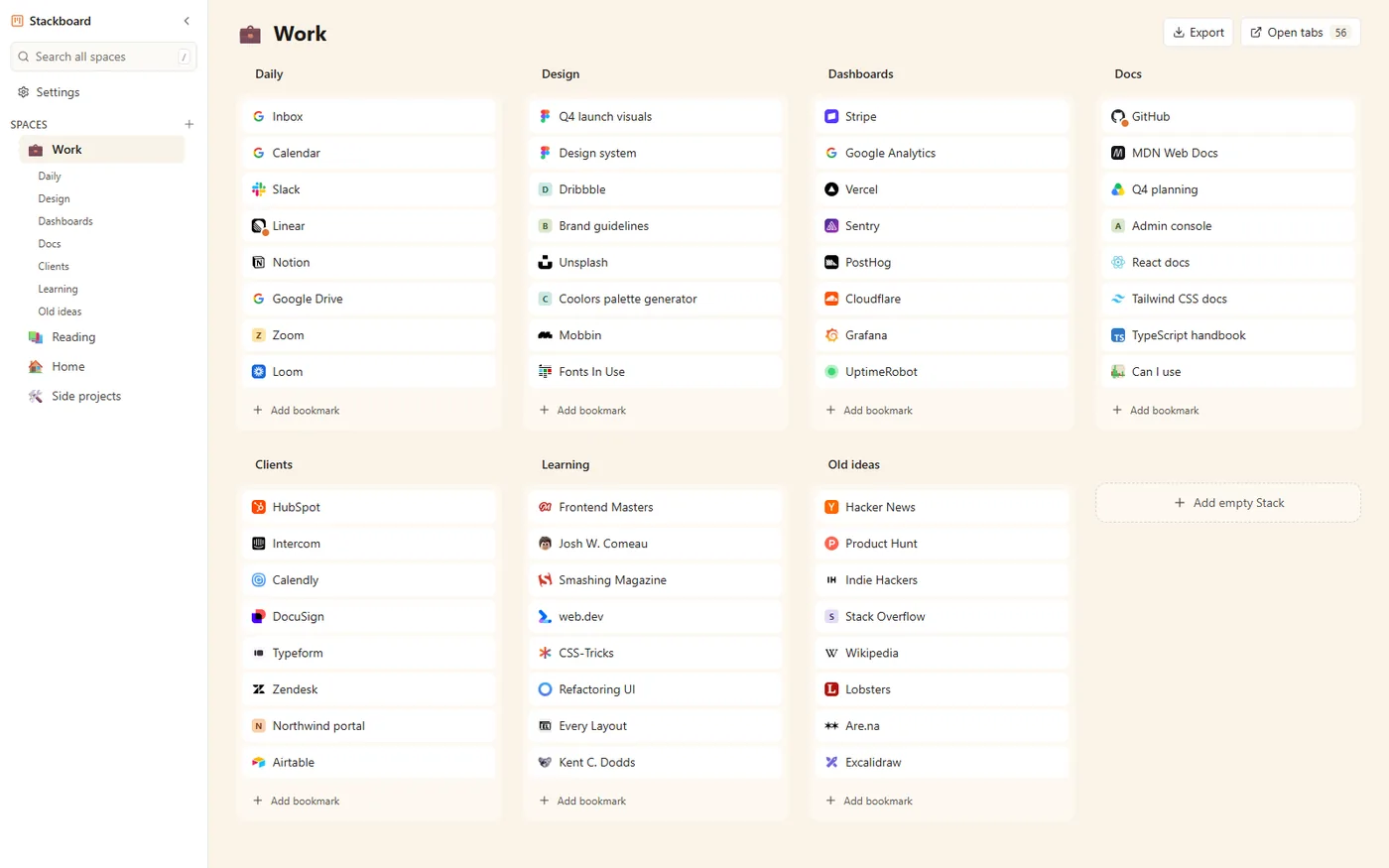
| Your new tab page | Unchanged | A board of your bookmarks |
| Account | None | None |
| Price and code | Free | Free and open source (MIT) |
When Session Buddy is the better pick
If you count on crash recovery, a timeline of past windows or a search through your tab history, stay with Session Buddy or Tab Session Manager. Stackboard records nothing in the background: it saves the tabs you stash, when you stash them. The same goes if you want Chrome’s new tab page left as it is. Stackboard suits people who save a window on purpose and want it back next week as a named set of links, on any computer where Chrome syncs.
Move your sessions into Stackboard
- Export from your session manager. In Session Buddy 4, use Export on a collection (JSON or CSV), or Backup in the gear menu. In Tab Session Manager, open Options, Sessions, Export Sessions.
- Convert the file. Drop it into our free Session Buddy and Tab Session Manager converter. It runs in your browser, uploads nothing and makes one folder per saved session.
- Bring it in. Download the Stackboard backup (.json) and import it in Stackboard under Settings, Backup, Import JSON. Or download the bookmarks file and import it into Chrome from the three-dot menu in
chrome://bookmarks.
Keep the original export too. It’s your backup if you ever go back.
How saving works in Stackboard
- Stash this window (Alt+Shift+S) saves every tab as a bookmark in a Stash space, one stack per tab group plus one for loose tabs, then closes them. Pinned tabs stay open.
- Save selected tabs: Ctrl or Shift+click a few tabs, open the toolbar popup and tap a stack.
- Tab bankruptcy stashes every tab in every window at once.
- Press / to search every space, and reopen any stack as a named tab group in one click.
Questions
Does Stackboard restore my tabs after a crash?
No. It saves the tabs you stash and nothing else. Chrome can reopen your last session by itself: see how to restore tabs after a Chrome restart.
Can I convert a Tab Session Manager export too?
Yes. The same converter reads Tab Session Manager exports and Session Buddy backups from versions 3 and 4, and turns each session into a folder.
What happens to my saved sessions if I uninstall Stackboard?
They stay. Stackboard saves them as ordinary Chrome bookmarks under Other bookmarks › Stackboard, so the Bookmark Manager and Chrome sync keep them.
Is Stackboard free?
Yes. There’s no account and no paid plan, and the code is open source under the MIT license.
Try Stackboard
A free Chrome extension that turns your new tab into a board of your own bookmarks. No account, nothing leaves your browser.
Add to Chrome, it’s free