A free Toby alternative that needs no account
Toby turns Chrome’s new tab into a board of saved tab collections, and version 2.0 adds a side panel, notes and paid Smart features. If you want the board without signing in or paying, Stackboard does the core of it with your own Chrome bookmarks.
What Toby does well
Toby saves a window as a session, groups tabs into collections and spaces, keeps a Chrome tab group’s color, and syncs collections to every computer you sign in on. It has a side panel, notes with checklists, and on paid plans it searches your history and can sort collections for you.
What Stackboard does differently
- No account. Your spaces and stacks are ordinary Chrome bookmarks, so Chrome sync carries them to your other computers and nothing goes to a server.
- Free, all of it. No plan to upgrade to. The code is open source under MIT.
- Bring your bookmarks in. One click turns your bookmarks bar into a space, one stack per folder, and your originals stay put.
- Stash a window with Alt+Shift+S, one stack per tab group, and reopen any stack as a named tab group.
- Themes: Catppuccin, Gruvbox, Nord, true black and the cream default, with your own wallpaper if you like.
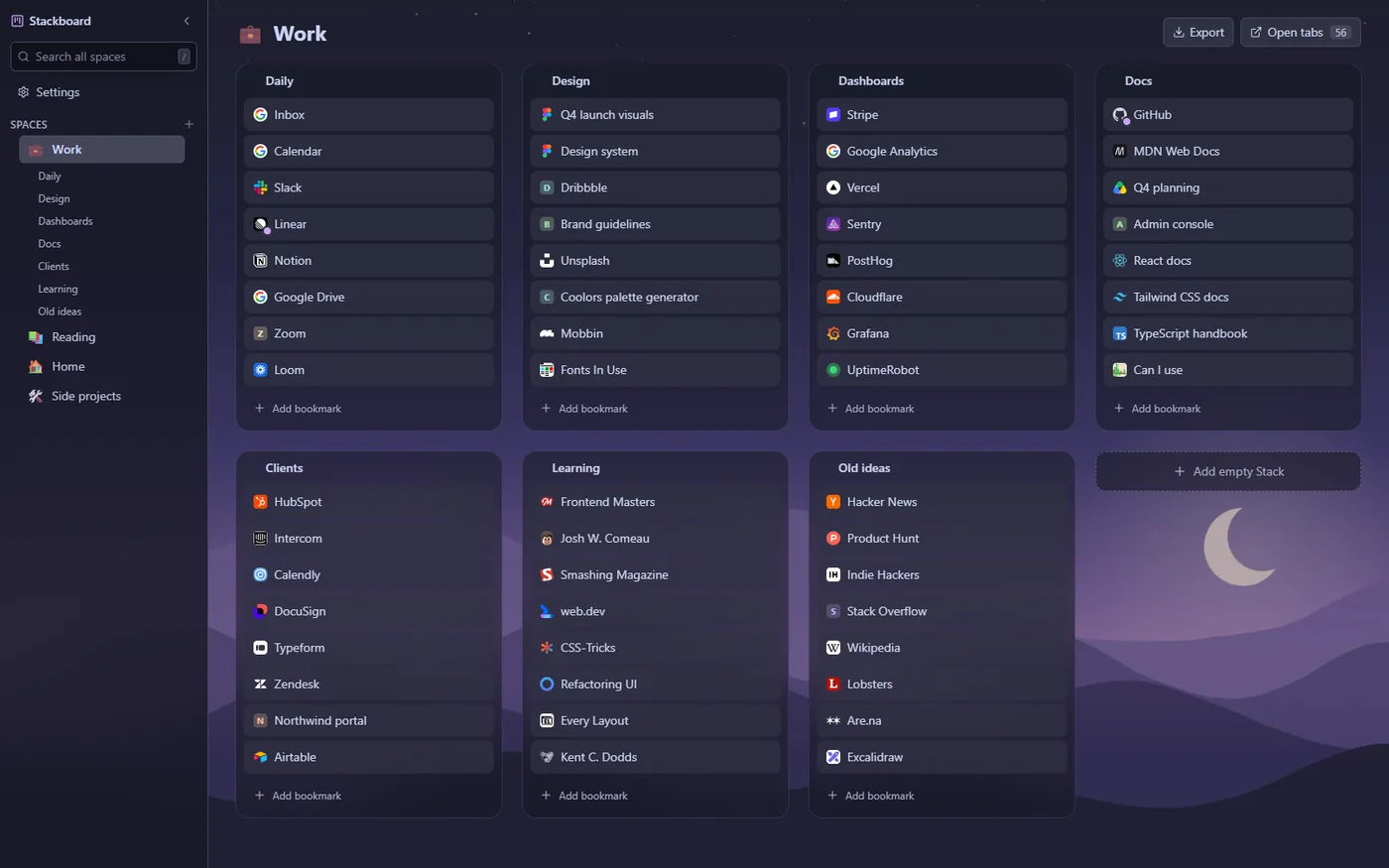
Toby and Stackboard side by side
| Toby | Stackboard | |
|---|---|---|
| Board on your new tab | Yes | Yes |
| Save a window as a session | Yes | Yes (Stash this window) |
| Where your data lives | Toby’s service; sign in to sync | Your Chrome bookmarks; Chrome syncs them |
| Price | Free plan, paid plans for Smart features | Free |
| Side panel and notes | Yes | No |
| Themes and dark mode | Yes | Yes |
| Open source | No | Yes (MIT) |
When Toby is the better pick
If you share collections with a team, live in the side panel, or want notes and automatic sorting on your board, Toby has more. Stackboard is for people who want a fast, private board built from the bookmarks they already have.
Questions
Can I import my Toby collections?
Not directly yet. Open a collection’s tabs, then press Alt+Shift+S and Stackboard saves the window as a stack.
Do I need an account to sync?
No. Stackboard stores everything as Chrome bookmarks, so if Chrome sync is on, your boards show up on your other computers.
What happens to my bookmarks if I uninstall?
Nothing. They stay in Chrome under Other bookmarks › Stackboard.
Try Stackboard
A free Chrome extension that turns your new tab into a board of your own bookmarks. No account, nothing leaves your browser.
Add to Chrome, it’s free