A start.me alternative that uses your own Chrome bookmarks
If you want a start page of bookmarks with no account and no ads, put your own Chrome bookmarks on the new tab: Stackboard turns them into spaces and stacks for free, and Chrome sync handles your other computers. start.me is still the better choice if you need widgets, a page that works in any browser, or start pages for a team.
What start.me does well
start.me is a start page that lives in your account: pages of bookmark lists and widgets, such as news feeds and notes, that you open in whatever browser you use. You can import your browser’s bookmarks, export them as an HTML file at any time, and export your feeds as OPML. Organizations get a Team plan. The Chrome extension has about 100,000 users and 4.4 stars from about 1,400 ratings (October 2026).
What people switch over
- Plan limits. The free plan allows up to 3 pages, with basic widgets and ads. PRO costs $25 a year, and the Team plan $25 a month billed annually (October 2026).
- An extension that hasn’t changed in a while. The Chrome extension was last updated on 26 January 2024.
- Reviews. Store reviews read in October 2026 mention the page not loading, settings being wiped and no way to show the browser’s own bookmarks.
start.me and Stackboard side by side
| start.me | Stackboard | |
|---|---|---|
| Where your bookmarks live | start.me’s servers, in your account | Your Chrome bookmarks (Other bookmarks › Stackboard) |
| Account | Yes | None |
| Free plan | Up to 3 pages, basic widgets, ads | Everything, with no ads |
| Paid plans | PRO $25 a year; Team $25 a month, billed annually | None |
| Widgets such as feeds and notes | Yes | No |
| Your browser’s bookmarks | Imported as a copy into start.me | Copied into a Stackboard folder that stays part of Chrome’s bookmarks |
| Browsers | Any, as a web page | Chrome and Brave |
| Price and code | Free plan; PRO and Team | Free and open source (MIT) |
When start.me is the better pick
If you use more than one browser, want feeds and notes beside your links, or roll out start pages to a team, start.me does all three and Stackboard does none of them. Stackboard is for people who use Chrome or Brave and want their own bookmarks on the new tab with nothing to sign up for.
Move your bookmarks from start.me
- In start.me, click the user icon at the top right and choose Account details.
- Select Data, then Exports, and tick the pages you want.
- Click Export and choose Export bookmarks. When the HTML file is ready on the My exports tab, click Download.
- In Chrome, open
chrome://bookmarks, click the three-dot menu, choose Import bookmarks and pick the file. Our guide to importing bookmarks into Chrome has the details. - In Stackboard’s Settings, choose Copy from Chrome bookmarks and pick the top-level folder the import went into, such as the bookmarks bar. Each folder that holds links becomes a stack, and your originals stay where they are.
What you get on the new tab
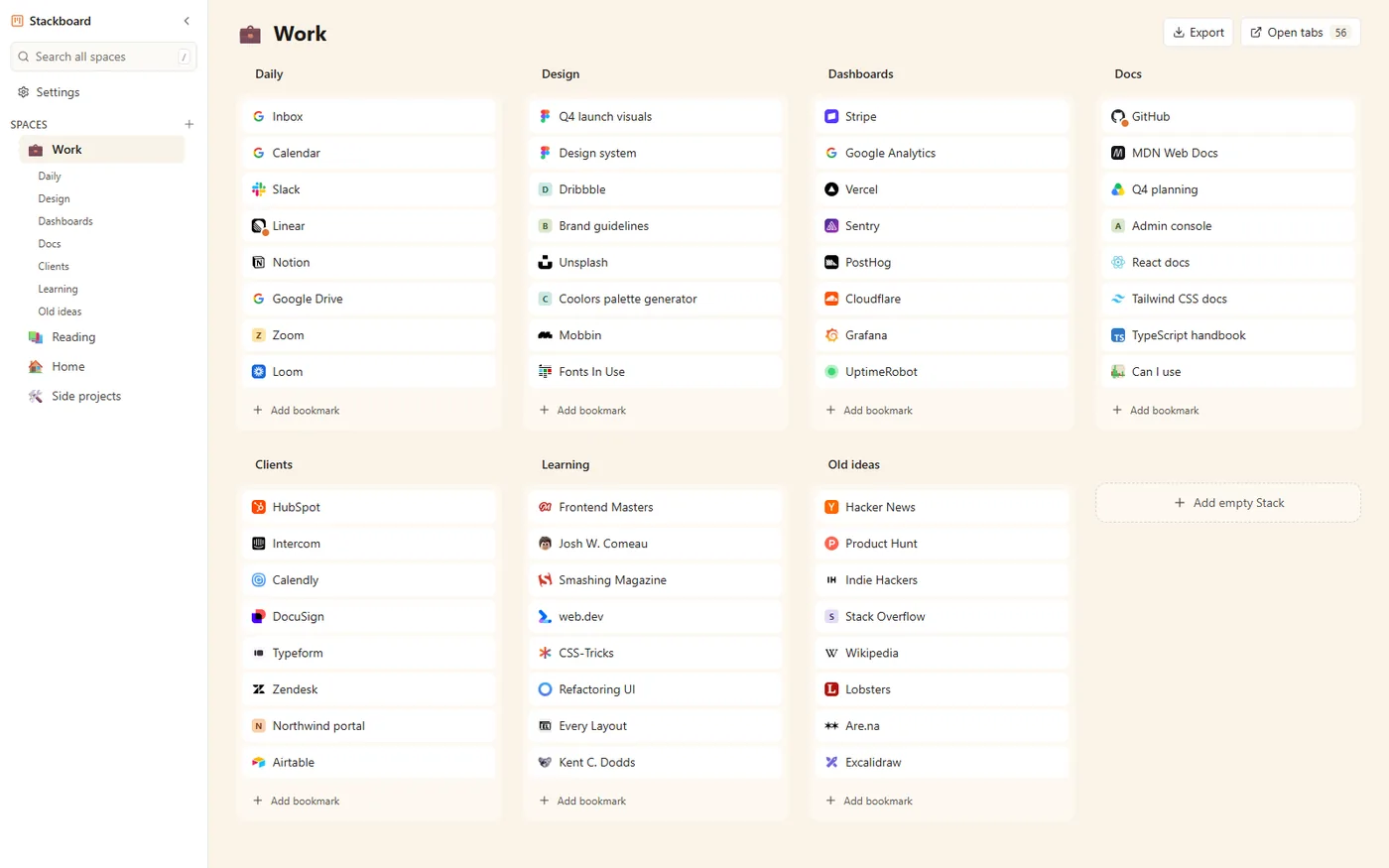
Spaces sit in a sidebar, one per area of your life, each with an emoji. Stacks of links fill the page as a grid of tiles. Press / to search every space, or a number key from 1 to 9 to jump to a space. Eight color themes, light or dark, and a background picture of your own set the look, and five starter packs of useful links help if you begin with an empty board.
Questions
Can Stackboard show my Chrome bookmarks on the new tab?
Yes. One click copies your bookmarks bar, or any other top-level Chrome folder, into a space with one stack per folder. Everything it saves is an ordinary Chrome bookmark.
Does Stackboard have widgets like start.me?
No. There are no feeds, notes, weather or to-do widgets. It shows your bookmarks, a search box and your saved tabs.
Is there a free start.me alternative without ads?
Stackboard is free with no ads, no account and no analytics, and its code is open source under the MIT license.
Try Stackboard
A free Chrome extension that turns your new tab into a board of your own bookmarks. No account, nothing leaves your browser.
Add to Chrome, it’s free