A Raindrop.io alternative for people who live in Chrome
If you use one browser, Chrome or Brave, and want your bookmarks in front of you on every new tab without another account, Stackboard does that with your own Chrome bookmarks. If you want one tagged library across several browsers and your phone, stay with Raindrop.io: it does that well, and Stackboard doesn’t try.
What Raindrop.io does well
Raindrop.io is a bookmark manager with its own library in the cloud. Its download page lists extensions for Chrome, Edge, Safari, Firefox and Brave, and apps for iPhone and iPad, Android, macOS and Windows. The free plan includes unlimited bookmarks and collections on unlimited devices, and you sort links into collections and tags and search them.
The paid Pro plan adds full-text search, permanent copies of saved pages, more space for uploads and cloud backups. The Chrome extension has about 500,000 users and 4.2 stars from 786 ratings (October 2026), and it was last updated in September 2026.
Where Stackboard is different
- Your board is Chrome’s own bookmarks. Everything lives under Other bookmarks › Stackboard, so the Bookmark Manager, Chrome sync and any bookmark tool can read it.
- No account. There’s nothing to sign up for and no server. Chrome sync carries the board to your other computers.
- On the new tab. Your spaces and stacks are the page you see every time you open a tab, and / searches them.
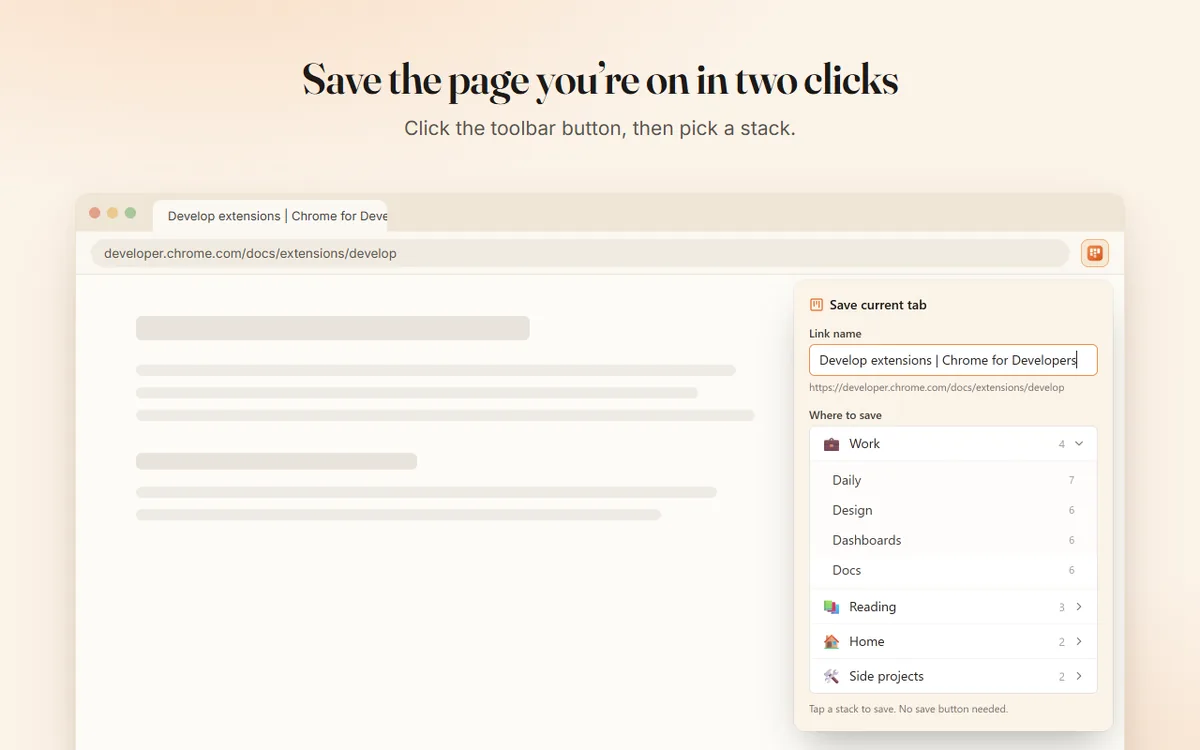
- Tabs, too. Stash a whole window as bookmarks with Alt+Shift+S, save the page you’re on from the toolbar popup, and reopen any stack as a named tab group.
Raindrop.io and Stackboard side by side
| Raindrop.io | Stackboard | |
|---|---|---|
| Where bookmarks live | Raindrop.io’s cloud, in your account | Your Chrome bookmarks |
| Account | Yes | None |
| Browsers | Chrome, Edge, Safari, Firefox and Brave | Chrome and Brave |
| Phone apps | iPhone, iPad and Android | None |
| Tags | Yes | No |
| Full-text search and saved page copies | With Pro | No |
| Price | Free with unlimited bookmarks; paid Pro plan | Free and open source (MIT) |
When Raindrop.io is the better pick
Pick Raindrop.io if you switch between browsers, save links from your phone, rely on tags, or want saved copies of pages that survive when the original site disappears (a Pro feature). All of that is outside what Stackboard does: it has no tags, no mobile app, no Firefox or Safari version and no offline page copies. Pick Stackboard if your bookmarks already live in Chrome and you want them on the new tab, organized, without moving them into another service.
Moving between them
From Raindrop.io to Stackboard: in Raindrop.io, open a collection and click Export, or go to Settings, Backups, Create new to export everything. Choose HTML, a standard bookmarks file, and import it in chrome://bookmarks with Import bookmarks. Then in Stackboard’s Settings, choose Copy from Chrome bookmarks. Prefer CSV? Our URL list converter reads Raindrop.io’s CSV columns and can make a Stackboard backup directly.
Using both: Chrome exports your bookmarks, Stackboard folder included, as an HTML file that most bookmark managers can import. Our guide to exporting Chrome bookmarks walks through it.
Questions
Is Raindrop.io free?
Yes. Its free plan has unlimited bookmarks and collections on unlimited devices. Pro adds full-text search, permanent copies and cloud backups.
Does Stackboard support tags?
No. It organizes links into spaces and stacks. If tags matter to you, Raindrop.io is the better fit.
Can I use Stackboard without an account?
Yes. There is no account and no server. Your board is stored as Chrome bookmarks, and Chrome sync carries it if you have sync on.
Does Stackboard work on my phone?
No. It’s a desktop Chrome extension. Chrome sync can show the same bookmarks in Chrome on your phone as a plain folder, but the board itself only appears on a computer.
Try Stackboard
A free Chrome extension that turns your new tab into a board of your own bookmarks. No account, nothing leaves your browser.
Add to Chrome, it’s free