An Infinity New Tab alternative built on your own bookmarks
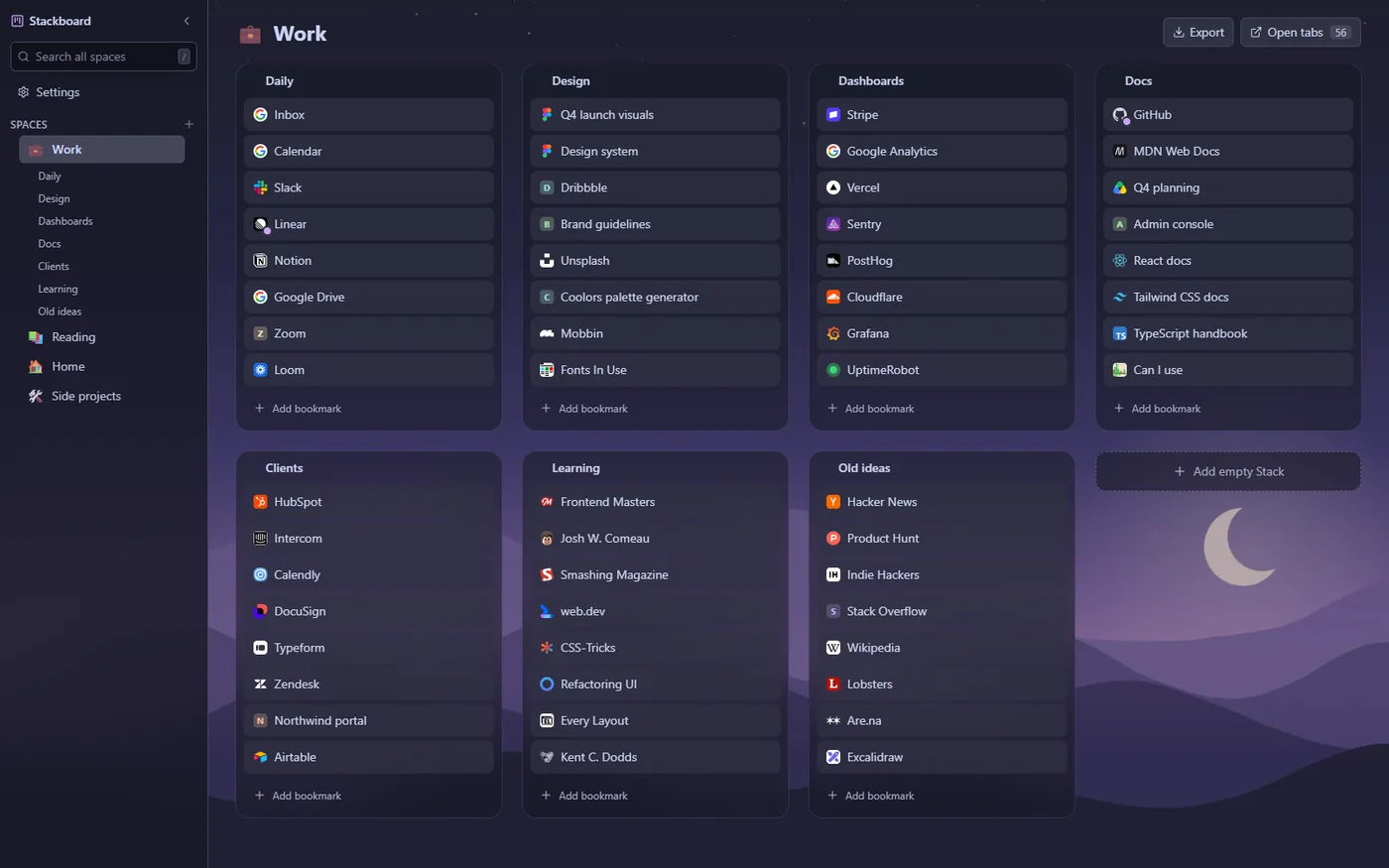
If you want your new tab to show the bookmarks you already keep in Chrome, Stackboard lays them out as spaces and stacks, with themes and your own wallpaper, free and with no account. If you use Infinity for its weather, to-dos, notepad and Gmail alerts, stay with it, because Stackboard has none of those.
What Infinity New Tab does well
Infinity New Tab turns the new tab into a grid of site icons over an HD wallpaper. Its store listing mentions more than 200 icons to pick from, 365 wallpapers, weather, to-dos, a notepad, history management, personalized search and Gmail notifications, plus cloud backup with one-click recovery.
The main listing has about 400,000 users and 4.5 stars from about 11,800 ratings, and a separate Pro listing has about 300,000 users and 4.7 stars from about 24,800 ratings (October 2026). Plenty of people like having all of that on one page.
What people switch over
- Disappearing icons. Reviews from August to October 2026 report icons vanishing from the page.
- A busy page. Icons, wallpaper, mail alerts, weather, to-dos and notes all share one tab. Some people want the new tab to show their bookmarks and little else.
- Links in two places. Infinity stores its icons itself, with its own cloud backup, separate from the bookmarks you keep in Chrome.
Infinity New Tab and Stackboard side by side
| Infinity New Tab | Stackboard | |
|---|---|---|
| What’s on the page | A grid of site icons plus widgets | Spaces and stacks of your Chrome bookmarks |
| Where your links live | In the extension, with cloud backup and recovery | Ordinary Chrome bookmarks (Other bookmarks › Stackboard) |
| Wallpapers | 365 HD wallpapers | Your own picture with dim and blur, a gradient or a solid color |
| Weather, to-dos, notes and mail alerts | Yes | No |
| Search | Personalized search | Searches your spaces with / |
| Price and code | A free listing and a separate Pro listing | Free and open source (MIT) |
When Infinity New Tab is the better pick
If you like a new tab that does a bit of everything, with weather, to-dos, a notepad and mail alerts beside a wall of icons and a big wallpaper library, Infinity is built for that. Stackboard is narrower on purpose: your bookmarks, your saved tabs and a search box, in a theme you pick.
Move your sites over
- Bring in what Chrome already has. In Stackboard’s Settings, choose Copy from Chrome bookmarks. Your bookmarks bar becomes a space with one stack per folder, and the originals stay where they are.
- Add the icons you use most. Visit each site and save it from the Stackboard toolbar popup straight into a stack. Start a title with an emoji if you want that emoji as the icon.
- Start from a pack. Five starter packs of useful links give you a few stacks to edit if you’re starting from nothing.
- Set the look. In Settings, Appearance, pick a theme, light or dark, and a background picture of your own.
How Stackboard looks
Eight color themes: Stackboard light and dark, Catppuccin Latte and Mocha, Gruvbox light and dark, Nord, and true black for OLED screens. Follow your system’s light or dark setting or pick one. For the background, choose a solid color, a gradient or your own picture with dim and blur; the picture stays on that computer. Comfortable or compact density sets how much fits on the page. See every theme.
Questions
Does Stackboard have wallpapers like Infinity?
It has no wallpaper library. You can use your own picture with dim and blur, a gradient or a solid color, across eight color themes. The picture stays on that computer.
Does Stackboard have weather or a to-do list?
No. It shows your bookmarks and your saved tabs.
Will my Stackboard links sync to my other computers?
Yes, if Chrome sync is on for bookmarks, because the board is made of ordinary Chrome bookmarks. Themes and wallpaper stay on each computer.
Try Stackboard
A free Chrome extension that turns your new tab into a board of your own bookmarks. No account, nothing leaves your browser.
Add to Chrome, it’s free