How to make Chrome’s new tab page dark, or pure black
Open a new tab, click Customize Chrome at the bottom right and choose Dark under Appearance, or Device to follow your computer. Chrome’s dark new tab is dark gray. There’s no setting for pure black, but two workarounds get you there.
Turn on dark mode
- Open a new tab and click Customize Chrome at the bottom right.
- Under Appearance, choose Dark. Light keeps Chrome light, and Device follows your computer’s setting.
On Windows and Mac the same choice also appears as Mode in Settings > Appearance. Dark mode darkens Chrome’s toolbar, settings and some other pages along with the new tab.
Let your computer decide
With Device selected, Chrome switches whenever your system does:
- Windows: Settings > Personalization > Colors, then pick Dark under Choose your mode.
- Mac: System Settings > Appearance, then Dark, or Auto to change through the day.
Why it isn’t black
Chrome’s dark mode uses dark grays. The color choices in Customize Chrome are a set of swatches, including a Grey default color, and a hue slider for a custom tint. They change the tint of that gray, and none of them is black. For a true #000000 new tab there are two ways.
1. Upload a black picture
Make a solid black image in any editor (in Windows Paint, fill a new canvas with black and save it as a PNG). Then in Customize Chrome click Change theme, then Upload an image, and pick it. The page behind the search box turns pure black. The search box and shortcuts keep Chrome’s own styling, so pair this with Dark mode. One catch: if an extension replaces your new tab, setting a background in Customize Chrome turns that extension off.
2. Use a new tab extension with a black theme
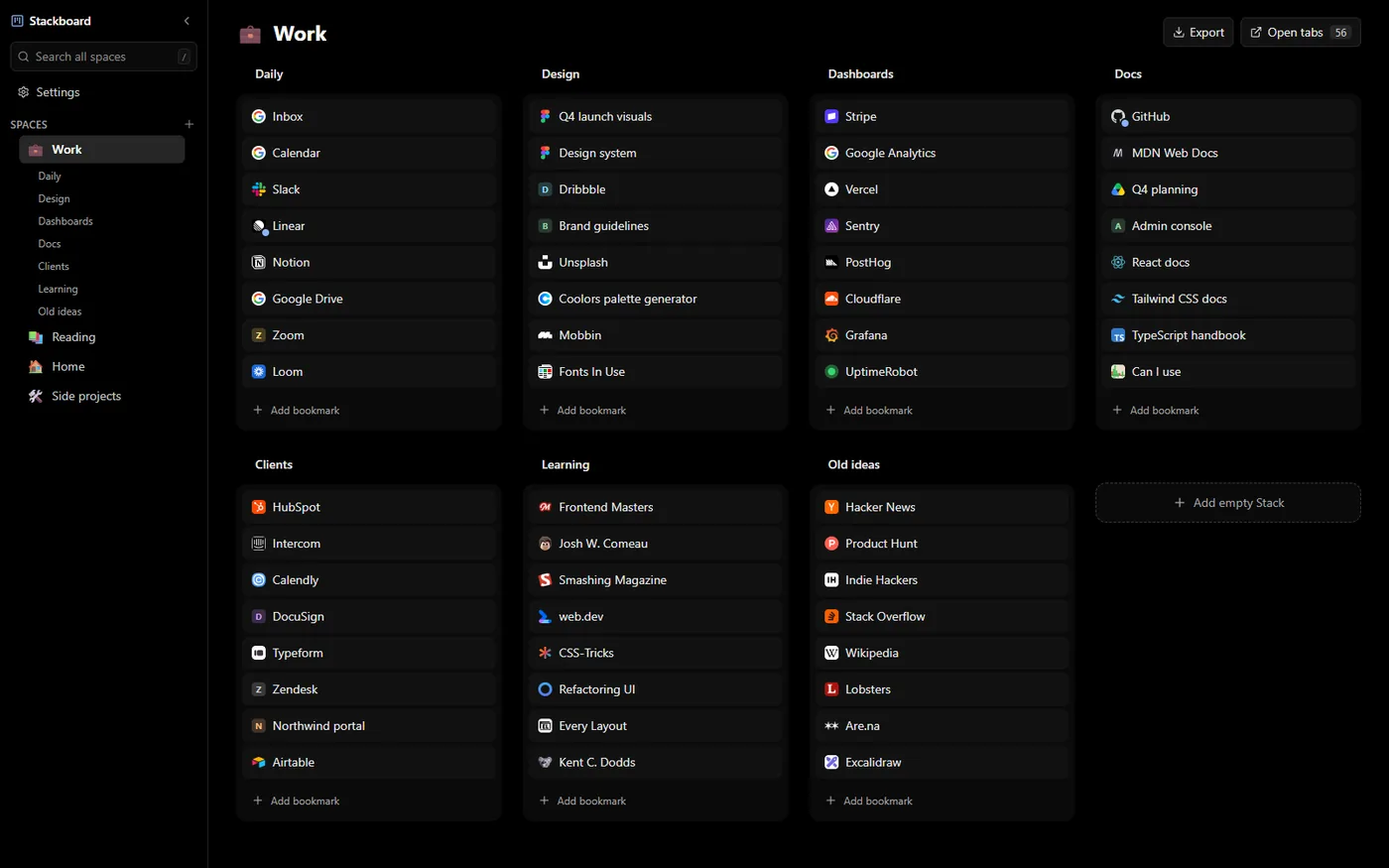
Stackboard replaces the new tab with a board of your own bookmarks, and its true black palette puts pure #000000 behind dark gray stacks, made for OLED screens. If black is too stark, Nord and Catppuccin Mocha are softer dark palettes, and Stackboard can follow your system between light and dark.
If the new tab stays light
- A theme from the Chrome Web Store is installed. Themes bring their own colors and new tab background. Remove it with Reset to default next to Theme in Settings > Appearance, then choose Dark again.
- You set a background picture. A picture looks the same in dark mode. Pick Default Chrome under Change theme to remove it.
- The new tab belongs to an extension. The extension decides how its page looks, so look for a dark theme in its own settings.
Questions
Is there an AMOLED black mode for Chrome’s new tab?
Not as a setting. Chrome’s dark mode is dark gray. Upload a black background picture, or use a new tab extension with a true black theme.
How do I get a dark new tab in Chrome on Android?
Tap the three-dot menu, then Settings > Theme, and choose Dark, or System Default to follow your phone.
Why is my Chrome new tab white?
Chrome is set to Light, or to Device while your computer uses light mode. Choose Dark in Customize Chrome.
Why does Incognito look dark when the rest of Chrome is light?
That’s normal. Google’s dark mode help notes that the browser may also look dark in Incognito mode.
Try Stackboard
A free Chrome extension that turns your new tab into a board of your own bookmarks. No account, nothing leaves your browser.
Add to Chrome, it’s freeSources
- Google Chrome Help: Browse in Dark mode or Dark theme
- Google Chrome Help: Dark theme on Android
- Google Chrome Help: Customize your New Tab page in Chrome
- Chrome Web Store Help: Download or remove Chrome themes
- Apple Support: Use a light or dark appearance on your Mac
- Microsoft Support: Personalize your colors in Windows
- Chromium source: generated_resources.grd (New Tab page and dialog wording)
- Chromium source: Settings appearance page (Mode)
- Chromium source: customize_chrome_utils.cc (a background choice turns off new tab extensions)