A true black new tab page for Chrome
Most dark themes are dark gray. Stackboard’s true black palette uses pure #000000 for the page and sidebar, which looks deepest on OLED screens and throws the least light at you at night.
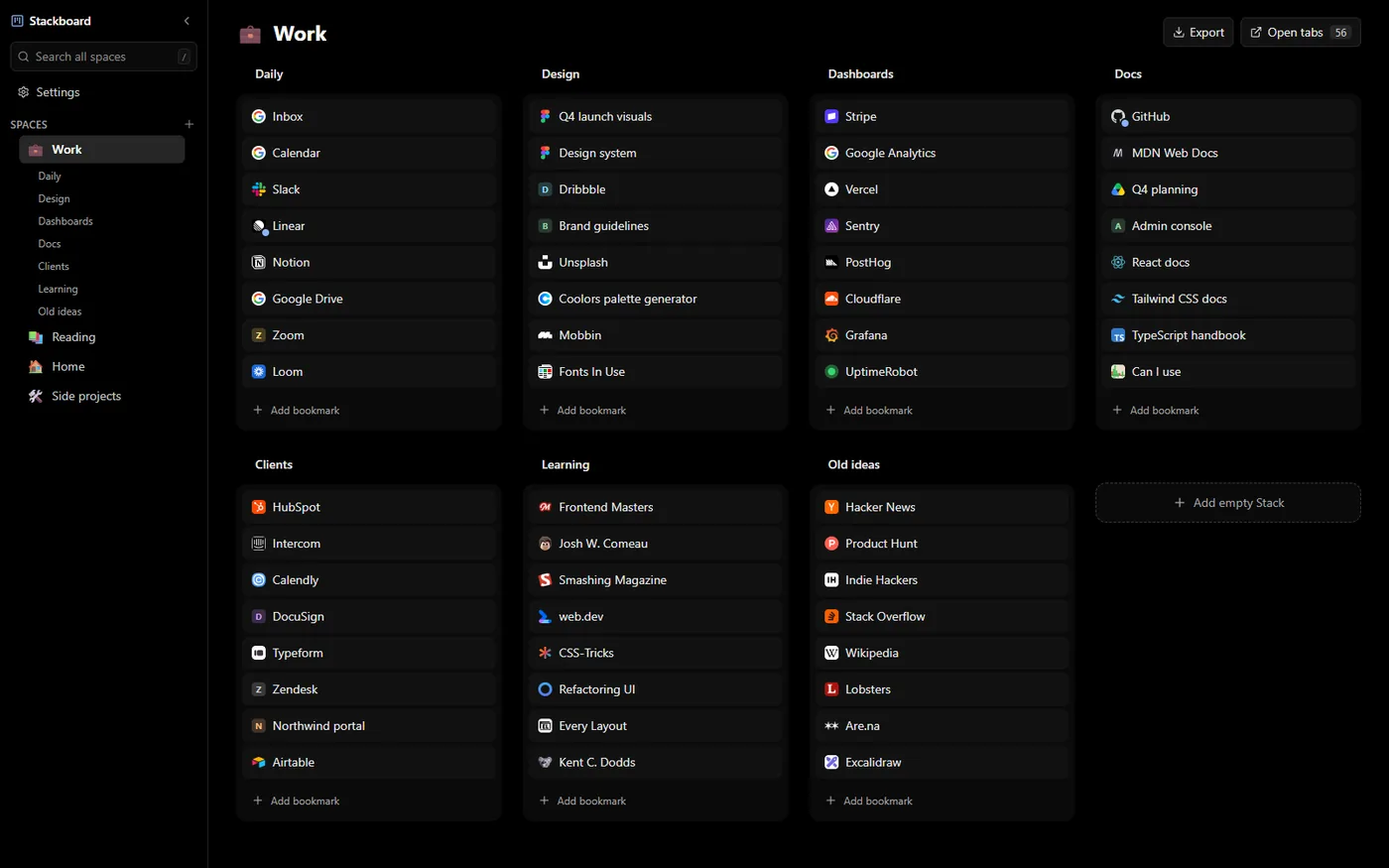
The colors
| Background | Cards | Text | Muted text | Accent | |
|---|---|---|---|---|---|
| True black | #000000 | #121212 | #e8e8e8 | #a3a3a3 | #8ab4f8 |
Cards sit one step above black at #121212 so stacks stay visible without glowing. Text is a soft off-white and there is a single blue accent for links you just added and the active space.
Why pure black
- OLED screens: black pixels on an OLED panel are switched off, so the background disappears into the bezel.
- Late nights: a black page next to a dark terminal or editor doesn’t flash a gray rectangle at you every time you open a tab.
- Calm: with a single accent color, nothing on the page competes for attention.
Turn it on
- Add Stackboard to Chrome (or Brave) from the Chrome Web Store and open a new tab. Choose Keep it if Chrome asks whether to keep the new page.
- Click Settings in the sidebar, just under the search box. Appearance is the first section.
- Click the True black swatch. The board behind the dialog changes as you click, so you see it before you close Settings.
- True black is dark only, so it stays black in every mode.
Make the rest of Chrome dark too
Stackboard only changes the new tab page. For dark menus, tabs and settings pages, switch Chrome to dark mode in its appearance settings, or set your operating system to dark mode and leave Chrome on its device setting. If you want a dark page without installing anything, this guide covers Chrome’s own options.
Background and density
Under the palette you can keep a solid color, pick one of three gradients made from the palette, or use your own picture with sliders to dim and blur it. The picture is stored in your browser on that computer and never uploaded. Over a picture, stacks and the sidebar turn into frosted panels so links stay readable. Compact density fits more stacks on a big board.
Questions
Does a black theme save battery?
On OLED screens, black pixels draw no power, so a mostly black page uses a little less than a gray one. On LCD screens the backlight stays on and the difference is negligible.
Is it free?
Yes. Every palette is included, with no account and no paid tier.
Do my theme settings sync to my other computers?
Your spaces and bookmarks sync through Chrome, because they are ordinary Chrome bookmarks. The palette, mode and wallpaper are saved per computer, so set them once on each.
Theme your new tab
A free Chrome extension that turns your new tab into a board of your own bookmarks. No account, nothing leaves your browser.
Add to Chrome, it’s free