How to change and customize the new tab page in Chrome
Chrome lets you restyle its own new tab page, but it has no setting to swap it for a different page. That takes an extension. Here’s both, plus what the “third-party” new tab page is.
Customize Chrome’s own new tab page
- Open a new tab and click Customize Chrome (the pencil button) at the bottom right.
- Under Appearance, pick a theme, a background image or a color.
- Under Shortcuts, choose My shortcuts to keep your own tiles, Most visited sites to let Chrome pick, or hide them.
- The same panel can hide cards and suggestions you don’t want on the page.
Can I set a custom URL as my new tab?
Not in Chrome’s settings. On startup and the home button control which pages open when Chrome starts or when you press Home, but a new tab always shows Chrome’s page unless an extension replaces it.
What “new-tab-page-third-party” means
If chrome://new-tab-page-third-party shows in your address bar, your default search engine isn’t Google, so Chrome is showing its simpler built-in new tab. To get Google’s back, open chrome://settings/searchEngines and make Google the default. If you never changed it, look in chrome://extensions for an extension you don’t recognize.
Replace the new tab page with an extension
- Install a new tab extension from the Chrome Web Store.
- Open a new tab. Chrome asks Change back to Google? once per extension. Choose Keep it to keep the new page.
- Chrome may add a small footer naming the extension. Right-click it to hide it.
- To go back to Chrome’s page, turn the extension off in
chrome://extensions.
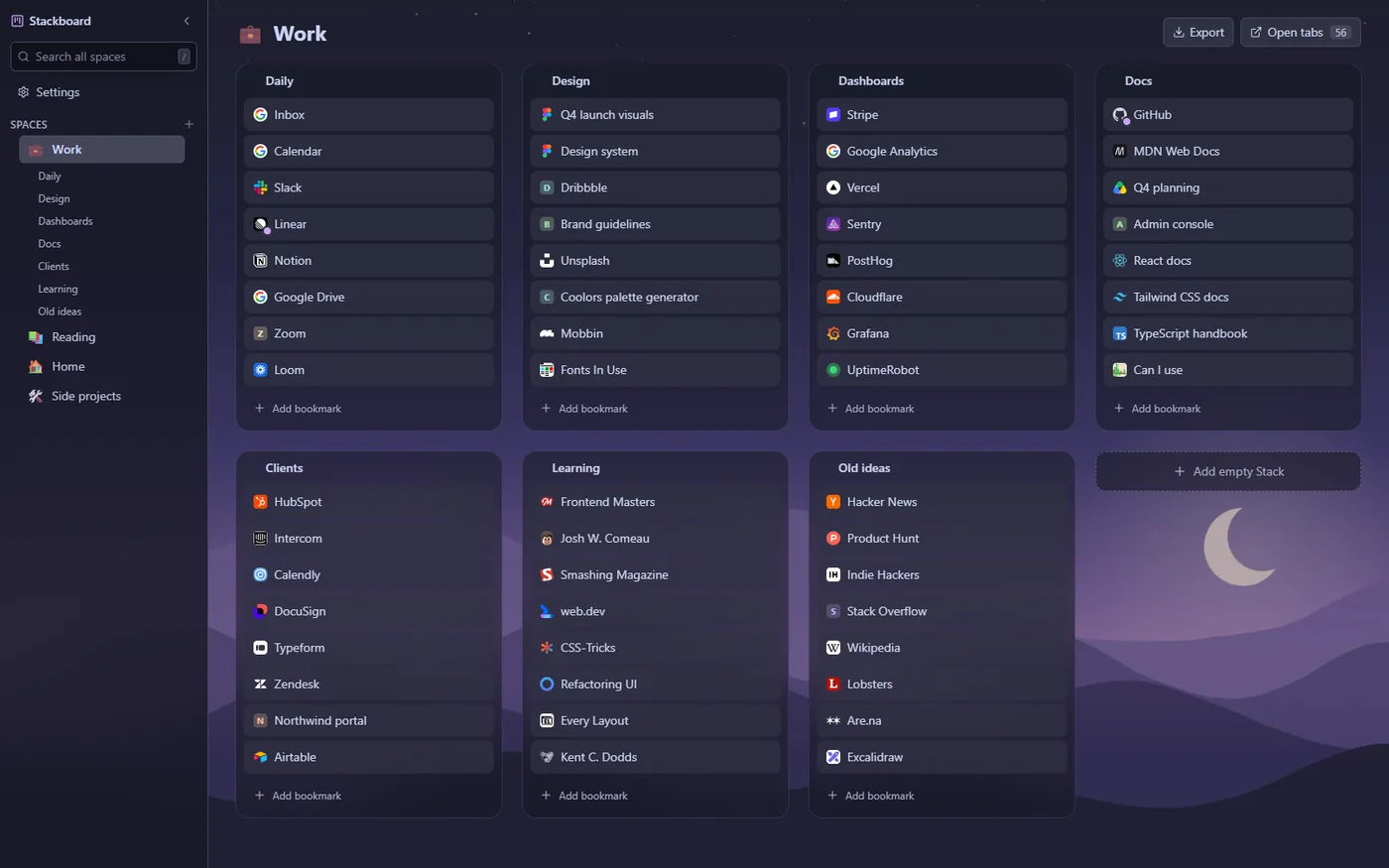
Stackboard replaces the new tab with a board of your own bookmarks, in spaces and stacks, with themes like Catppuccin, Gruvbox and Nord. It needs no account and everything stays an ordinary Chrome bookmark.
Questions
Why does Chrome ask “Change back to Google?”
It’s a safety check Chrome shows the first time an extension takes over the new tab. Choose Keep it if you installed the extension on purpose.
How do I undo a new tab extension?
Open chrome://extensions and turn the extension off, or remove it. Chrome’s own new tab page comes back straight away.
Will my bookmarks change if I use a new tab extension?
Not with Stackboard. It reads and writes ordinary Chrome bookmarks in its own folder, and copying your bookmarks bar in leaves the originals where they are.
Try Stackboard
A free Chrome extension that turns your new tab into a board of your own bookmarks. No account, nothing leaves your browser.
Add to Chrome, it’s free