A Tabs Outliner alternative that saves tabs as Chrome bookmarks
If you want saved windows that live outside the extension and sync without a paid backup, save them as Chrome bookmarks: Stackboard stashes a window into a stack on your new tab page with one shortcut. If you depend on Tabs Outliner’s live tree of every window and tab, with notes between them, stay with it, because Stackboard has no tree view.
What Tabs Outliner does well
Tabs Outliner shows every window and tab as a tree in a window of its own, and keeps building it as you browse. You can close a window or a tab to free memory while it stays in the tree, restore it later, drag branches around, and write notes and to-do items between tabs. It keeps your tabs and their place in the tree through crashes, works offline and needs no account.
The core is free with no limits, including export, import and manual backups. Pro is a one-time $15 (October 2026) and adds keyboard shortcuts, clipboard support, local backups every few minutes and automatic daily backups to Google Drive. Tabs Outliner has about 100,000 users and 3.2 stars from about 3,300 ratings (October 2026).
What people switch over
- Backups cost extra. The free version has manual backups; automatic Google Drive backups come with Pro.
- Licence and support. Store reviews read in October 2026 say the Pro licence is tied to the buyer’s Google account email and that support doesn’t answer.
- Lost trees. Some reviewers say everything in their tree was deleted.
Tabs Outliner and Stackboard side by side
| Tabs Outliner | Stackboard | |
|---|---|---|
| How saved tabs look | A tree of windows and tabs, with notes | Spaces and stacks of links on your new tab |
| Where they live | Inside the extension, on your computer | Ordinary Chrome bookmarks (Other bookmarks › Stackboard) |
| Other computers | Restore from a Google Drive backup (Pro) | Chrome sync, free |
| Live view of open tabs | Yes | No; a dot marks saved links that are open in a tab |
| Notes and to-dos | Yes, inside the tree | No |
| Crash recovery | Yes | No |
| Save and close a window | Yes | Yes (Stash this window) |
| Price | Free core; Pro $15 once | Free and open source (MIT) |
When Tabs Outliner is the better pick
If you think in trees, keep dozens of windows on the go and want notes beside the tabs they explain, Tabs Outliner does something Stackboard doesn’t attempt, and its one-time Pro price covers backups to Google Drive. Stackboard is for people who want their saved tabs out of the extension and in Chrome’s own bookmarks, where sync, the Bookmark Manager and any other browser’s import can read them.
Move your tabs out of Tabs Outliner
- Make a backup first. Tabs Outliner can save the whole tree as a standalone HTML file. Keep it somewhere safe.
- Save the windows you still need. Restore a saved window from the tree, then press Alt+Shift+S. Stackboard saves its tabs as stacks, one per tab group, and closes them. Chrome’s own Bookmark all tabs (Ctrl+Shift+D) works too.
- Have a list of links? Tabs Outliner can drag a window’s branch out as a plain-text outline. If the outline includes the web addresses, paste it into our URL list converter: it picks out every link and gives you a bookmarks file, all in one folder.
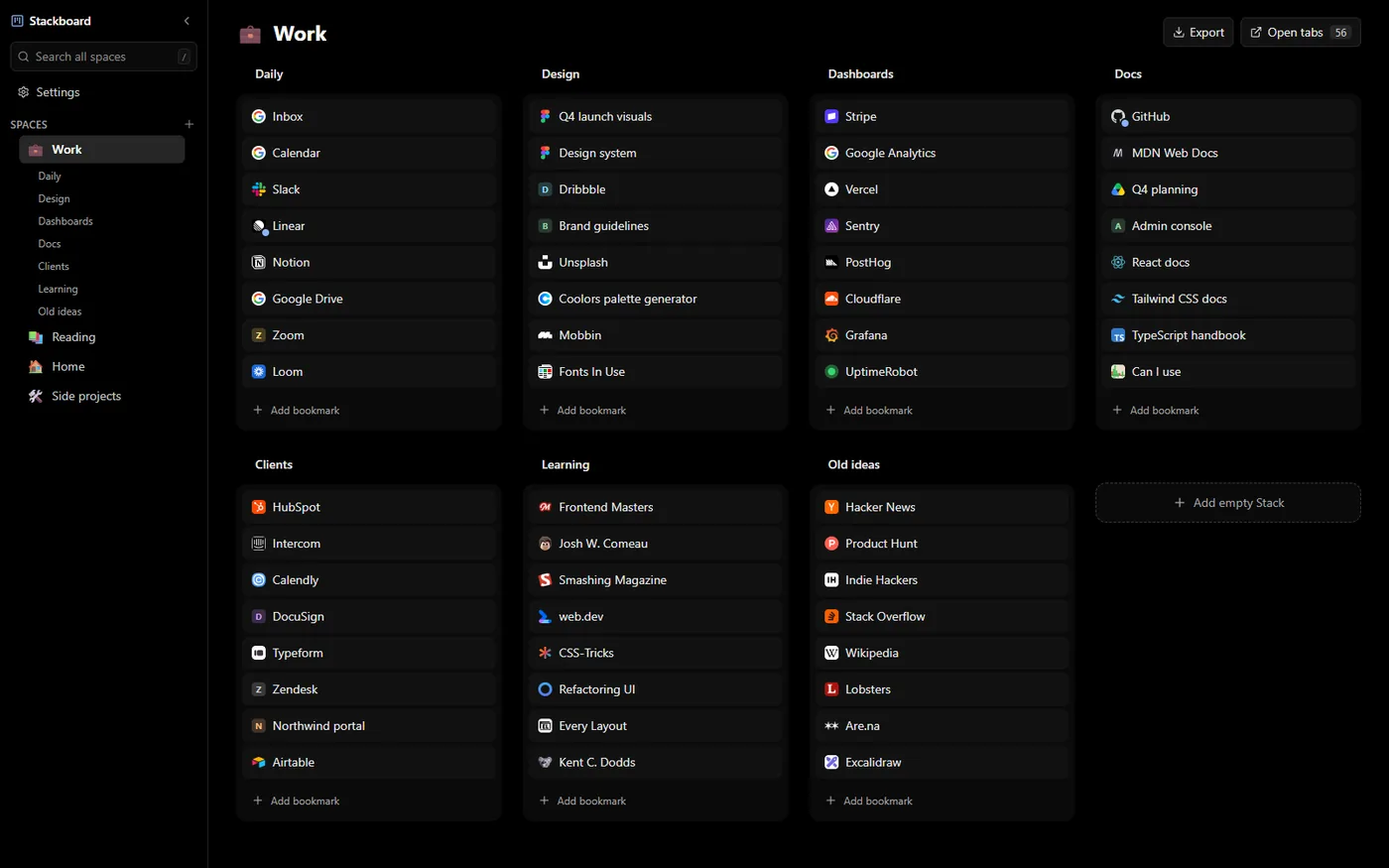
Stashed windows show up on your new tab, where you can rename stacks, drag links between them and search everything with /.
Questions
Does Stackboard have a tree view like Tabs Outliner?
No. It shows saved links as spaces and stacks on the new tab page. For a live tree of every window, Tabs Outliner does that and Stackboard doesn’t.
Is there a free Tabs Outliner alternative with sync?
Stackboard is free and syncs through Chrome. It saves tabs as ordinary Chrome bookmarks, so they show up on every computer where Chrome sync is on.
Can I keep notes next to saved tabs in Stackboard?
No. Stackboard has no notes. You can rename a stack or a bookmark, and a title that starts with an emoji uses that emoji as its icon.
Try Stackboard
A free Chrome extension that turns your new tab into a board of your own bookmarks. No account, nothing leaves your browser.
Add to Chrome, it’s free