How to get Arc’s vertical tab sidebar in Chrome
Chrome has vertical tabs built in: right-click an empty part of the tab strip and choose Show Tabs Vertically, and your tabs move to the side of the window with their full titles. Arc’s sidebar also held Favorites, pinned tabs and folders; Chrome covers those with pinned tabs, saved tab groups and bookmarks.
Turn on vertical tabs
Google began rolling vertical tabs out on April 7, 2026, and Chrome’s help lists five ways to switch them on (read November 2026):
- Right-click an empty part of the tab strip and choose Show Tabs Vertically.
- Right-click any tab and choose the same.
- Open Settings > Appearance and set Tab position to Vertical.
- Click the three-dot menu, then More Tools > Show Tabs Vertically.
- On a Mac, choose View > Show Tabs Vertically in the menu bar.
To go back, pick Show Tabs Horizontally from the same menus. If none of these options appear, update Chrome: three-dot menu > Help > About Google Chrome, then Relaunch.
Set it up like Arc’s sidebar
- Width: resize the strip so full titles fit.
- Collapsed view: when the strip is collapsed, hover over a tab to see its full title or group name. To make it expand by itself when you point at it, right-click the Menu open button and turn on Expand Collapsed Tabs by Hovering.
- Search: the Tab Search button sits in the vertical strip too. Press Ctrl+Shift+A (Cmd+Shift+A on a Mac) to search every open tab, or type
@tabsin the address bar. - Groups: tab groups show as names in the strip. Click one to collapse or expand it, or hover over it to preview its tabs.
Rebuild the rest of Arc’s sidebar
| In Arc | In Chrome |
|---|---|
| Favorites | Pinned tabs: right-click a tab and choose Pin. Pinned tabs shrink to the site’s icon. |
| Pinned tabs | Bookmarks for the sites you open every day, on the bookmarks bar or in the bookmarks side panel |
| Folders | Tab groups: right-click a tab, choose Add tab to group, then New group. A closed group is saved, and Chrome can pin new groups to the bookmarks bar (Settings > Appearance). |
| Spaces | Profiles for separate logins, plus a board of saved links for each area (below) |
| Tabs archived after 12 hours | Nothing built in on a computer: the closest options |
Bring your Arc sidebar’s links across
Export from Arc (Settings > Advanced > Export Data), drop the file into our free Arc bookmarks exporter and import the bookmarks file into Chrome. Each space arrives as a folder with its pinned tabs and folders in order; Arc to Chrome has every step.
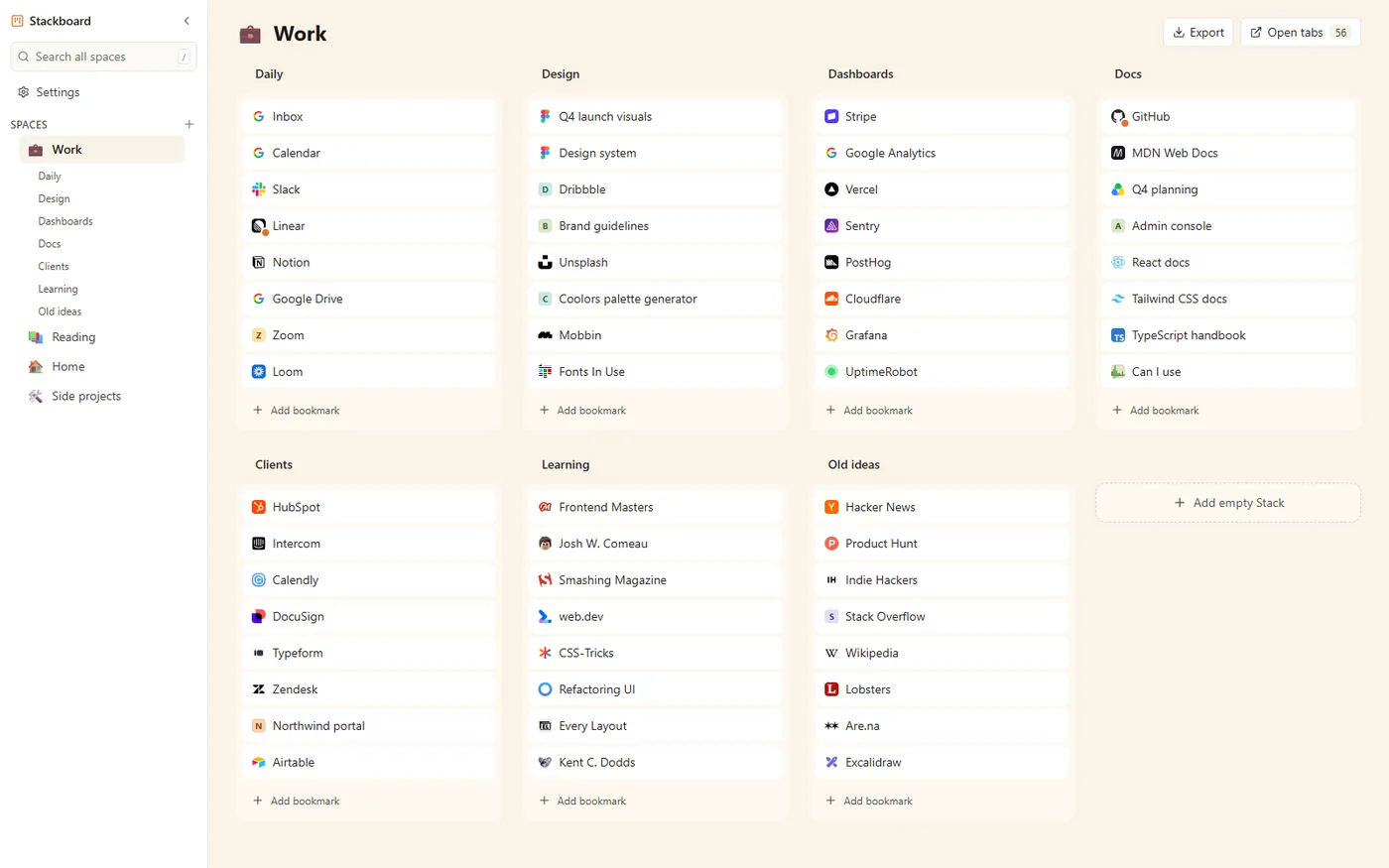
If what you miss is a home for each space, Stackboard puts those links on the new tab page: spaces down the side, each with an emoji, stacks of links across, and any stack reopens as a named tab group in one click. It sets that up from your Arc spaces itself: Settings > Copy from Arc reads Arc’s export or its sidebar file. It’s a board of saved links on the new tab page, and your open tabs stay in Chrome’s own vertical strip.
Questions
Does Chrome have vertical tabs now?
Yes, on computers. Google began rolling them out on April 7, 2026. Right-click the tab strip and choose Show Tabs Vertically, or set Tab position to Vertical in Settings > Appearance.
Why don’t I see Show Tabs Vertically in Chrome?
Update Chrome (Help > About Google Chrome) and relaunch it. Google rolled the feature out gradually, and Settings > Appearance > Tab position is the place to check after the update.
How do I make Chrome’s vertical tabs expand on hover?
Right-click the Menu open button on the vertical tab strip and turn on Expand Collapsed Tabs by Hovering.
Can Chrome show Arc-style spaces in the sidebar?
Not on its own. Profiles keep logins apart and tab groups bundle tabs, but Chrome has no sidebar spaces. Stackboard keeps each space’s saved links on the new tab page and reopens a stack as a tab group.
Do tab groups work with vertical tabs?
Yes. Groups appear as names in the vertical strip; click one to collapse or expand it, or hover to preview its tabs.
Try Stackboard
A free Chrome extension that turns your new tab into a board of your own bookmarks. No account, and the free board sends nothing off your device.
Add to Chrome, it’s freeSources
- Chrome Help: Manage tabs in Chrome (vertical tabs, pin, tab groups, Tab Search)
- Google blog: new vertical tabs and immersive reading mode in Chrome (April 7, 2026)
- Chrome Help: Update Google Chrome
- Arc Help Center: Arc Sunset, Frequently Asked Questions (Arc features in Dia)
- Arc Help Center: How do I export my data from Arc? (Spaces, tabs, Easels, Boosts)
- Arc for macOS 2021 release notes: Auto Archive after 12 hours, Little Arc