Arc is shutting down on December 22, 2026: what to save first
Yes, Arc is shutting down. On December 22, 2026 Arc for Mac and Windows stops working, every Arc account is deactivated, and personal data tied to an account is deleted within 30 days. Your spaces, passwords and Easels won’t save themselves, so work through the checklist below first, or move to Dia, which imports most of it in one go.
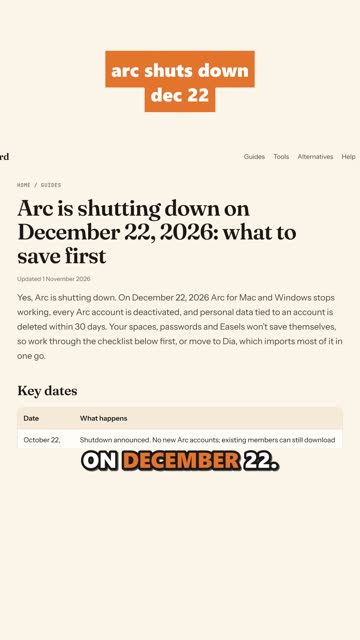 Video, 31 secondsArc shuts down Dec 22: what to save first▶︎ Play
Key dates
| Date | What happens |
|---|---|
| October 22, 2026 | Shutdown announced. No new Arc accounts; existing members can still download Arc and sign in. |
| November 23, 2026 | Arc Search on iPhone and Android loses its AI features, sign-in and sync. Arc for Mac and Windows starts showing reminders. |
| December 15, 2026 | Last day to ask for a copy of your Arc account data, or for its deletion. |
| December 22, 2026 | Arc for Mac and Windows stops working and accounts are deactivated. Arc Search for Android is removed from Google Play and from phones; Arc Search for iOS keeps working as a plain browser. |
Until then Arc keeps getting basic updates and security fixes, about one a week (version 1.172.0 on the Mac moved it to Chromium 157 on November 5, 2026), but no new features. The Browser Company says it can no longer keep Arc as safe as a browser needs to be, so its security team now works on Dia; active development had already moved there in 2025.
The checklist
1. Spaces, pinned tabs and folders
On a Mac, choose Arc > Settings > Advanced > Export Data. On Windows, press Ctrl+,, find Export Spaces and tabs under Advanced and click Export Data. Arc saves Arc Data Export.md, a plain list of links for each space. No browser imports it, so drop it into our free Arc bookmarks exporter, which turns each space into a bookmarks folder. Stackboard reads the same file itself (Settings > Copy from Arc) and shows your spaces on Chrome’s new tab page. If the option isn’t there, update Arc (Check for Updates in the Arc menu) and look again. Haven’t opened Arc in a while? arc.net says you can download it again and export before December 22. Then copy Arc’s sidebar file, StorableSidebar.json, somewhere safe as well: it keeps the names you gave tabs, and the exporter can read it after Arc stops opening (the exporter page shows where it is).
2. Passwords
The export above leaves them out, and Arc’s help center says a data request can’t return them either, because The Browser Company has no access to them. Save them as a CSV file from arc://password-manager/settings: how to export passwords from Arc.
3. Easels
Easels are stored with your Arc account, so they disappear with it, and Dia doesn’t import them. Open the Library, choose Easels, then Export All Easels: Arc saves a ZIP with every Easel you made as a web page any browser can open. Easels others shared with you aren’t included. On a Mac the option arrived in Arc 1.171.0 (October 29, 2026), so update first. To keep a single Easel as a picture, open it, click the Share icon at the bottom right and choose Share Via….
4. Boosts
Boosts can’t be exported, and Dia doesn’t take them. If you wrote your own CSS or JavaScript Boosts, copy their code somewhere safe before December 22.
5. History
Arc’s export has no history, and Chrome, Brave, Safari and Firefox have no Arc importer to fetch it. Dia’s importer copies it, and in a 2024 forum thread a Vivaldi team member said Vivaldi’s importer should be able to as well. Anywhere else, your Arc history stays behind.
6. Extensions
Arc ran extensions from the Chrome Web Store. Make a list of the ones you rely on and reinstall them in your next browser. Dia asks which ones to install during its import; Zen and Firefox need the Firefox version of each.
7. Arc Search on your phone
On an iPhone, tap the Tab Switcher icon at the bottom left, then Settings and Export Data to save your open tabs. On Android, go to Settings > Storage > Export data. Android users have until December 22, when the app is removed from phones.
8. Old Arc Notes and your account data
Arc retired Notes in April 2024; its release notes say Cmd+T, Export Arc Notes saves any you still have. For a copy of what The Browser Company holds about your account (name, email address, when you joined and a record of how you used Arc), ask through the chat button on Arc’s help center by December 15.
Or move everything to Dia
Dia, from the same team, imports spaces (as profiles), Favorites, pinned tabs, folders, bookmarks, history, passwords, cookies and extensions straight from Arc on Mac and Windows. It leaves Easels and Boosts behind, so do steps 3 and 4 anyway. Not sold on Dia? Arc browser alternatives compares Zen, Chrome, Brave, Vivaldi and Safari, and what each one imports.
Reading this after December 22?
Arc won’t open, so passwords and history are out of reach. Before you uninstall it, check whether Arc’s sidebar file, StorableSidebar.json, is still on your computer (the exporter page shows where to look). If it is, the exporter reads it without Arc running and gives you your spaces back as bookmarks. On Windows, check before you uninstall: Arc is installed as a Windows app package, and uninstalling a package deletes the data it saved, sidebar file included.
Questions
Is Arc browser really shutting down?
Yes. The Browser Company announced on October 22, 2026 that Arc for macOS and Windows stops working on December 22, 2026, when all Arc accounts are deactivated.
Why is Arc being shut down?
The Browser Company says it can no longer keep Arc as safe and secure as a browser needs to be, and its security team is focused on Dia, its newer browser. It had already stopped actively developing Arc in 2025.
Will my Arc data be deleted?
Personal data tied to your Arc account is deleted within 30 days of the account being deactivated on December 22. Passwords and history were only ever on your computer, so export them or import them into another browser before then.
What happens to the Arc data on my computer?
Arc stops opening on December 22, so you can’t reach the history, passwords or tabs it keeps on your computer through Arc. Arc’s help center doesn’t say the files get deleted, but on Windows uninstalling Arc removes them. Export or import what you want before then, and keep a copy of StorableSidebar.json.
Can I still download Arc?
Only if you already have an Arc account, and only until December 22, 2026. New Arc accounts closed on October 22.
What happens to Arc Search on iPhone?
It keeps working as a mobile browser, but from November 23, 2026 its AI features, sign-in and sync stop.
Try Stackboard
A free Chrome extension that turns your new tab into a board of your own bookmarks. No account, and the free board sends nothing off your device.
Add to Chrome, it’s freeSources
- Microsoft Learn: MSIX flexible virtualization (packaged app data is removed on uninstall)
- arc.net: A farewell to Arc (read November 1, 2026)
- Arc Help Center: Arc Sunset, Key Dates and What to Expect
- Arc Help Center: Arc Sunset, Frequently Asked Questions (Arc features in Dia)
- Arc Help Center: How do I export my data from Arc? (Spaces, tabs, Easels, Boosts)
- Arc Help Center: Move from Arc to Dia
- Arc Help Center: Update Arc for Desktop (Check for Updates)
- Arc for macOS 2024 to 2026 release notes: Export All Easels in 1.171.0 (October 29, 2026), Export Arc Notes
- Arc for macOS 2022 release notes: Split View V2, Boosts
- The Browser Company: letter to Arc members (May 26, 2025)
- Vivaldi Community: Migration from Arc (a Vivaldi Team member on what the importer brings)
- Chromium source: the browsers Chrome’s import window detects, no Arc (importer_list.cc)
- brave-core source: browsers Brave detects for import, Arc not among them (importer_list.cc)
- Firefox source: the browsers Firefox can import from, no Arc (MigrationUtils.sys.mjs)
- Apple: Import bookmarks and history directly from another browser in Safari on Mac (Chrome and Firefox)